
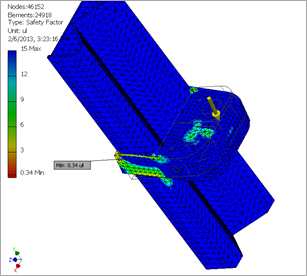
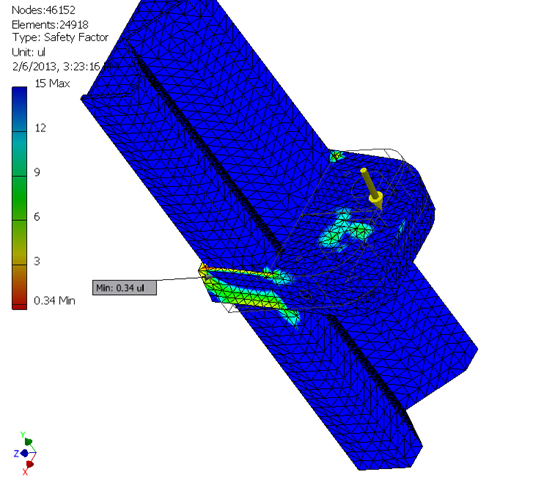
The Invar mount bracket in Inventor Stress Analysis. This simulation looks at the effects of a 200 poind man standing on the bracket.
So I’m packing up to head to Atlanta for a workflow demo, using multi-body modeling in Autodesk Inventor.
Here’s some things that I love about this digital prototyping workflow that I will discuss:
- Model your skeleton, parameters, and solids in one place
- Add your clearances, as well as applying tolerances right at the source
- Visually check the fit and function
- Modifications are propagated directly to the multi-body solids, allowing tough-ups to be applied immediately, eliminating failures that cascade through other files.
- Use the almighty Manage tab to farm out your solids into assembly components with the push of a single button. Brilliant.
- You can take the multi-body solid straight to the Stress Analysis environment for an initial review of the component strength prior to assembly… also pretty nice.
Can I Take My Cloud?
I am having to tune the stress analysis mesh element size for the demo. As many of you know Lenovo has been kind enough to lend the team a smoking hot D30 16-core hammer now that the Autodesk Simulation 360 reviews are completed, and I need some REAL computing power. The D30 makes seriously short work of meshing, but the demo will be on an older Dell laptop.
Don’t laugh, that Dell has been through a lot, but I am having serious concerns about having to fill for half an hour while the laptop struggles. I wonder if I can take the Lenovo on the plane with me.


