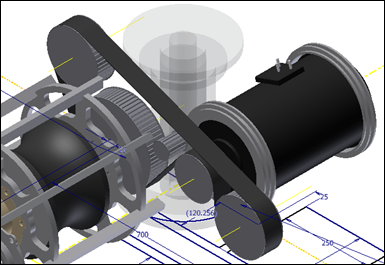
I decided to switch my gearbox for a belt drive to save some cross sectional space, and to simplify the design. The Autodesk Inventor Synchronous Belt Component Generator offers size, component modeling, and static calculations, much like all the other design accelerators that are available. The calculations offer a thorough list of expected results based on input power, speed and other factors, and flags similar issues that Gates points out in it’s design criteria, such as problematic pulley diameters where power and belt width are concerned.
While using the Synchronous Belt Component Generator,I noticed something odd. When I switched belt types or widths, some pulleys would flag an error. Unfortunately the error was not clear, but certain components would highlight in red, indicating that the component was not configured properly. Here’s what got me past the problem:
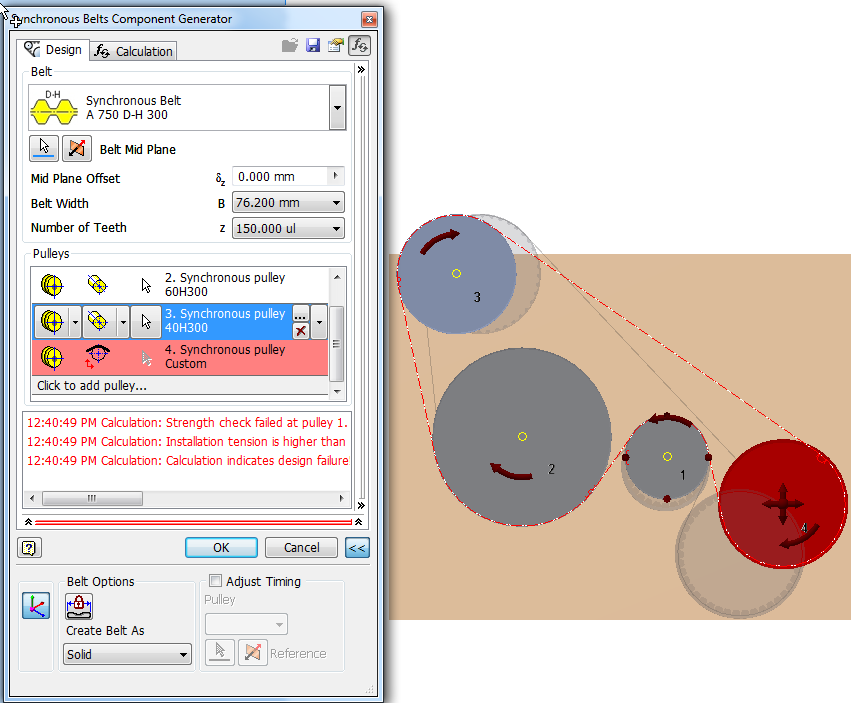
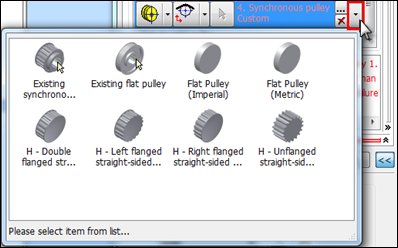
I went to the problematic pulley, and reselected its type from the pulley type pull-down (near the right of the dialog on each component). The design accelerator reset the component width and type according to the belt type.
It doesn’t happen all the time, but when it does, it’s pretty easy to get past. If you know more about this anomaly, or you have any suggestions about this tool, please comment below. We’d love to hear them.